CPanel Control Panel
CPanel is our state of the art Web Site Control Panel. We include the CPanel Control Panel with every web hosting account we sell.
With CPanel, you can manage your web hosting account directly through your web browser. You do not need to know about UNIX, command lines, shell scripts or server administration. All you need to do is use the web based CPanel interface provided to do all of your web hosting account management.
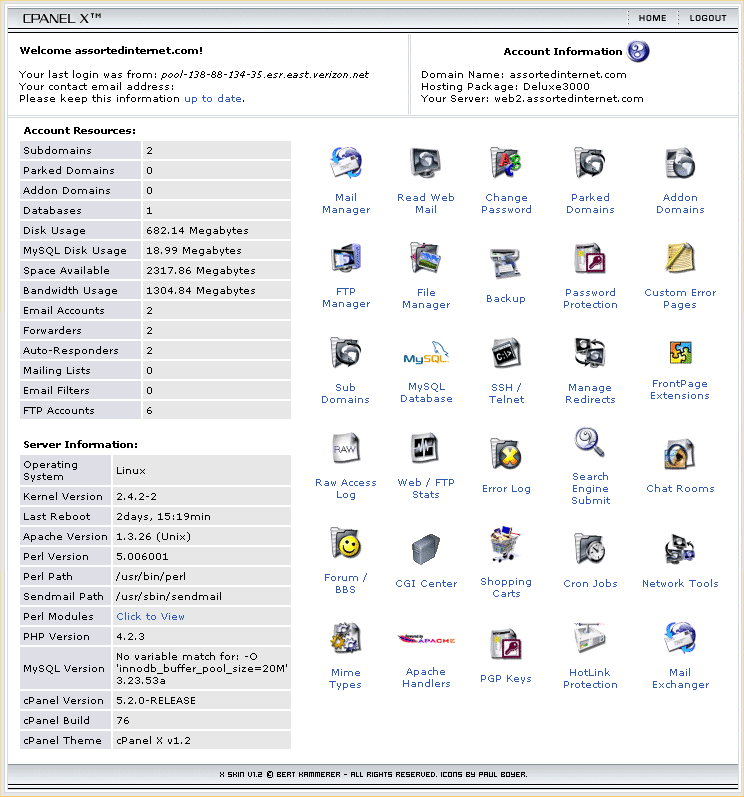
As a preview of what CPanel looks like, we have provided a screen shot of the control panel below. To view a full sized screen shot, simply click the image below:
To give you an idea of the power of CPanel, here is a partial list of the different features you can access in the the CPanel control panel: Backup
- Backup
- Restore
- Manage Email Accounts (Add, Remove, Change Password)
- WebMail for all Accounts<
- Auto Responders
- Custom Mail Filtering
- Forwaders
- Mailing Lists (mailman)
- Ability to Modify an MX Entry
- Spam Filtering
Stats
- Webalizer Web Stats
- Webalizer Ftp Stats
- Analog Stats
- AWStats
- View Latest Visitors
- View Bandwidth Usage
- View Error Log
- Download raw web server log files
FTP
- Manage FTP Accounts (Add, Remove, Change Password)
- Anonymous FTP Controls
- Ability to change FTP login message
- Ability to kill FTP sessions
Site Tools
- Web Protect (htaccess editor)
- Ability to Change Site and FrontPage password
- Custom Error Pages
- Redirects
- Ability to Edit Mime Types
- Ability to Edit Apache Handlers
- Install FrontPage Extensions
- Uninstall FrontPage Extensions
- Search Engine Submit Tool
- File Manager
Subdomains
- Ability to Add/Remove Subdomains
- Subdomain Redirects
- Stats for Subdomains
Advanced Tools
- SSH access
- Manage GPG Keys
- Cron Jobs
Pre-Installed CGI Scripts
- Interchange Shopping Cart
- Agora Cart
- Bulletin Board
- Java Chat
- HTML Chat
- phpMyChat
- Random HTML Generator
- Advanced Guestbook
- Counter Generator
- Java Clock Generator
- Java Countdown Generator
- Secure FormMail clone
- cgiemail
- Entropy Search
- Entropy Banner
Network Tools
- DNS Lookup
- Traceroute
Database Management
- Manage MySQL Databases (Add, Remove, Change Password, Add Access Hosts)
- phpMyAdmin Access